

Do you want to know how to check balance in your Provident Fund (PF) Account? Then you have come to the right place. The Provident Fund amount is deducted from working professionals’ salary every month. This amount is later added to their Employee Provident Fund (EPF) account by their employer. This is known as the EPF balance.
Employer's account, EPF is important because it helps in the post retirement period of an individual. The balance can be checked through various methods.
#1. Go to the website www.epfindia.com.
#2. Keep your EPF Account number ready with you.
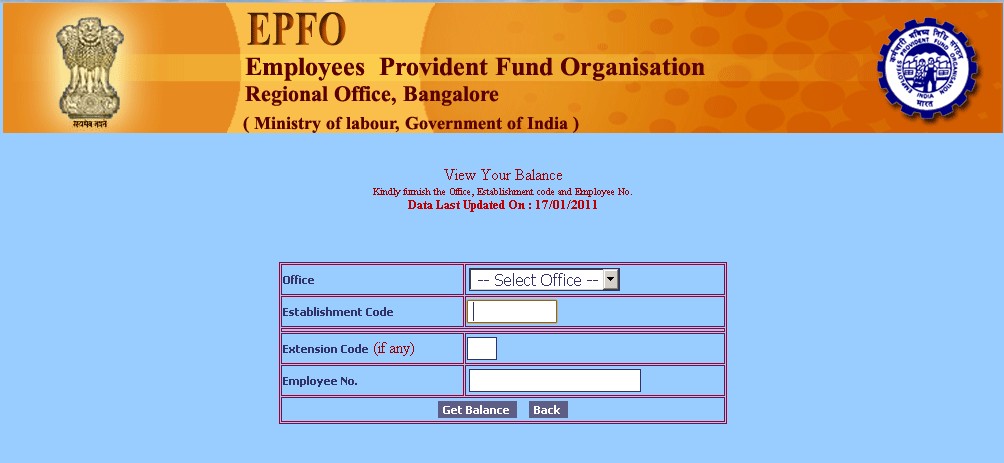
#3. Tap on “Know Your Balance.”
#4.Enter your EPF account number, your name, and your phone number.
(Image Courtesy: You Wana Know)
#5. Click on “Submit.”
#6. You will receive an SMS which would contain your EPF account balance.
Universal Account Number (UAN) is a code assigned to every individual who is registered under the provident fund scheme. It cannot be changed even after the employer is changed. You can get your balance through UAN number on the EPF website.
#1. Go to www.uanmembers.epfoservices.in
#2. In the dialog box, enter your UAN number.

(Image Courtesy: Tax Queries)
#3. Enter your valid mobile number so that they can send you an SMS.
#4. Next, select your state, city, and office from a list that is displayed on the website.
#5. Enter the captcha code, and once this is cleared, a pin will be assigned to you, and the account details along with the balance will be sent to you via SMS.
To check your EPF balance through missed call or SMS, you need your Aadhar card details, PAN card details, and KYC details. Once all your details are registered with the PF Department, you can get all the EPF details through SMS by giving a missed call on the number 011-22901406.
In order to do this, you need to have a savings account in the bank. Follow these steps to know your PPF Account Balance.
#1. Link your Public Provident Fund (PPF) to your savings account.
#2. Make sure you have online access to your savings accounts. This will help you in accessing the balance anywhere you want.
#3. You can use toll-free numbers, online banking facilities or you can ask a bank employee to tell you the balance of your PPF account.
More on: How to Withdraw PF Amount
You can also check your PPF balance at the post office. Everything works similarly like a bank, but many post offices do not have the facility to check the PPF Balance as this is still in the development phase. Make sure your post office provides this facility.
Did you find this article informative? Let us know in the comments section below.
(Featured Image Courtesy: Paisa Bazar)

26 Opinions

4 Opinions

27 Opinions

27 Opinions

 Share
Share


