

Do you want to give your reviews on the apps you use but can’t find out a way to do so? Does the Google Play Store or the App Store confuse you? Then you have come to the right place. We will solve all your confusions.
This article will help you to rate an iPhone App in the App Store and rate an Android App on the Google Play Store.
If you want to rate an App in the Apple Store, then all you have to do is, go to the app store. Search for the app that you want to rate.
#1. Type the name of the app in the search bar. Once you see your app, open the link.
#2. You will see a tab marked as “Reviews”. Tap this, and it will take you to the reviews section.
#3. Now you can easily write a review and rate the app on the apple store.
#4. When you are finished, click on submit, and your review will be added.
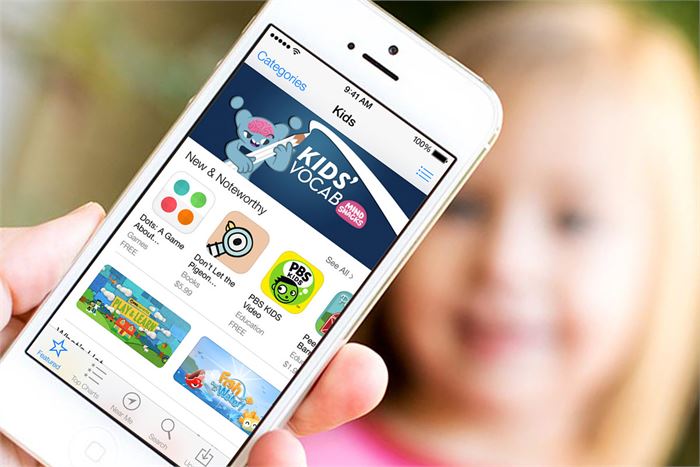
(Image Courtesy: iMore)
If you want to rate an app on the Google Play Store, it is quite similar to the Apple Store review system. If you want to rate an app, open the Google Play Store and select the app that you want to rate. Open the app, and then scroll down till you find the Reviews section. Rate according to your experience and write whatever review you want to. When you are finished with it, click on submit and your rating and review will be submitted.

(Image Courtesy: First Post)
You might be wondering on what basis are these apps evaluated. There are some predefined parameters on which these apps are evaluated. These include content, personalization, meaningful feedback, high-order thinking skills, usability and technical performance, engagement, and integration of social interactions. You should rate and review an app on the basis of these parameters. If you follow these criteria, you will give meaningful reviews that are helpful to the app developer.
If you are an app developer, you might want to respond to the reviews you receive on the app store. To this, you simply have to reply to any review that you want. You can gain access by logging in with your official ID and password. As an app developer, you must respond to your customers' queries and work upon their reviews so that your customers remain satisfied and loyal with your app.

(Image Courtesy: Rank My App)
Did you like this article? Was it informative and interesting? Let us know in the comment section below what you think.
(Featured Image Courtesy: Softpedia News)

 Share
Share


Would you like to get more Downloads and real mobile reviews for your apps or games for Free? Check out here Reviewlancer.com/
Yes, the performance of the App changes according to the ratings of the app. The app developer expects the users to evaluate the app and rate it according to their experience on the Play Store. When the developer gets more ratings, they are bound to change the outlook of the app and if there are any drawback which the user is facing, it is ought to be reconstructed by them.