
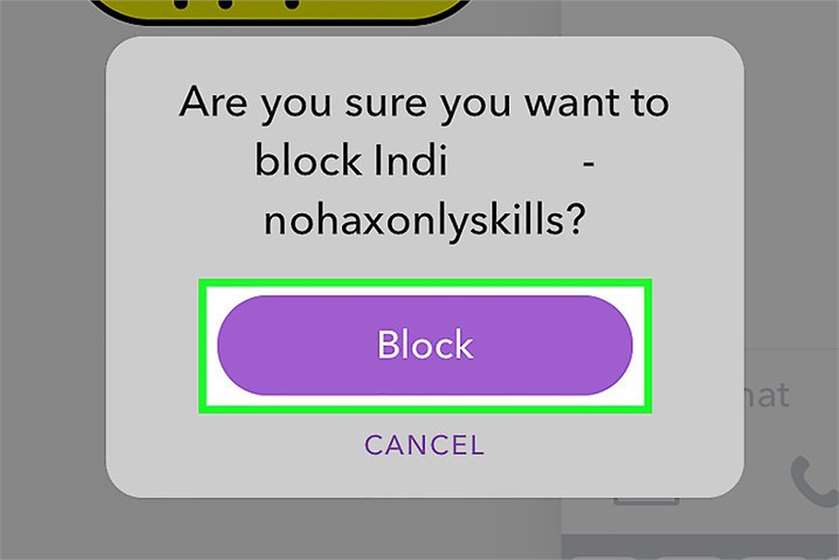
We all know the importance of personal moments that people generally share on social media and with snapchat just ruling the phones of every millennial for its artsy and quirky features, we aren't surprised that there are a zillion people out there viewing our story all-over. Some follow, some unfollow and while you're uploading that fun story, did you know there are those who you must unblock to let them go berserk of how much fun you're having?
Well, here we shall be teaching you the basics of the how-to block and unblock someone on Snapchat. So, time to shoot let’s begin:
And that’s how to use Snapchat. Learning social media is easy, once you do it more often.

(Image Courtesy: Afponline)
• Open Snapchat
• Swipe down
• Select my friends-select a friend- settings-block-block again- choose the reason for blocking.
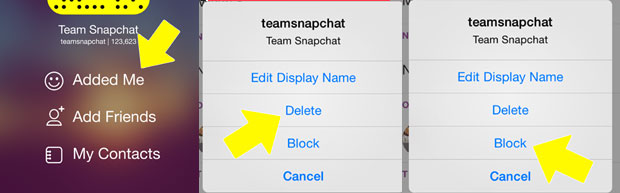
(Image Courtesy: Webwise)

(Image Courtesy: Youtube)
Got any thoughts regarding the best social media platform? Then what are you waiting for? Share them with us right away!
(Featured Image Courtesy: WikiHow)

19 Opinions

12 Opinions

65 Opinions

5 Opinions

 Share
Share


