

We’ve all been there. Searching for just the right passwords, to protect everything that we don’t want the world to see. However, most of us struggle to find a password that we feel is secure enough. Most of the times, our creativity goes for a toss while thinking of a password and we end up using a password that is relatively easy to guess.
We all know how important passwords are. They ensure the confidentiality of data that is stored on various workstations and is spread across different servers. This data might be sensitive for someone and can include very private details like bank accounts and phone numbers among other things. Your password has to be strong so that you can have a good night’s sleep and be sure that your data is protected by a strong shield that will protect it from any adversaries.

(Image Courtesy: How To Geek)
The importance of a strong password is something that all of us know. However, where we all lack is to find a password that is strong enough to withstand the mercy of the hackers on the internet. From password length to the characters that should be used in a password, all determine how secure the password is. So, to help all of you out there, we discuss how to get the perfect password for you and also how to keep in protected from everyone else. Join in.
Dealing With Passwords
In this internet crazy era, the chances are that you have your account on different websites. However, do you use the same password across all sites? If that is the case, then you should consider changing it. Having the same password for all your accounts does make it easy to remember, but it makes your accounts more susceptible to hacking. It is easier for hackers to guess a password that is the same for all accounts and if they crack your password that would mean that they can then have access to all your websites. So use different passwords for different accounts.

(Image Courtesy: Epok)
The Ideal Password
Now that we know that we should be using different passwords for different accounts, we should talk about something more fundamental but of utmost significance: what should your password be. Now, while there may be no subjective way of answering that, there are many ways in which you can get the most secure password for yourself. To achieve that, let’s take a look at the basic things you should keep in mind before setting up a password.

(Image Courtesy: Ecfirst)
12 Characters, Minimum: The longer, the better. Just like many other things, it is apt for passwords for as well. The longer password you have, the difficult it becomes for hackers to crack it. Meaning, all your sensitive data remains secure. Talking about the length, your password should have a minimum of 12 characters to ensure maximum security.

(Image Courtesy: Automation Champion)
Combination: Whoever thought that putting confusing words made a good password, needs to rethink. The best passwords contain a mix of everything possible on your keyboard. That is, having upper case and lower case letters, numbers and special characters like ‘!’ and ‘#'. The more complicated combination you have, the better your password becomes.

(Image Courtesy: Hongkiat.com)
Don’t Refer To The Dictionary: While a dictionary might be useful to enrich your vocabulary, sadly it isn’t a good thing to pick your password from. Consider this: if you use a word from the dictionary, it means that your password is already out there and any good hacker can just use the dictionary and crack your password successfully. So, never refer to the dictionary while setting up passwords, no matter how difficult word you pick up.

(Image Courtesy: LifeHacker)
Go Beyond The Obvious: This is one of the most important things to keep in mind. Don’t use common and predictable substitutions while making combinations. For example, H0use is not a secure password just because you have replaced the ‘o’ with an ‘0’. Another bad example of common substitution is $1ngle. Relatively easy to decode. Try to create more complex combinations to ensure maximum security.

(Image Courtesy: DHR)
Remembering your password
The above points can very quickly help you in creating a secure password. However, that doesn’t mean you’ll mindlessly follow these rules. For example, 'Rht941thz6%wm1' is a pretty strong password. But, how are you going to remember it? You either need to have a photographic memory or spend an entire day in mugging up the sequence. Chances are you still might end up forgetting your password even after all that. So, what can you do? Consider this trick: think of a random statement like 'I have to get groceries from the grocer at 79 Baker Street!' Now, you can use the first letter of each word to get 'Ihtggftga79bs!' And that is a strong password, which is also easy to remember.
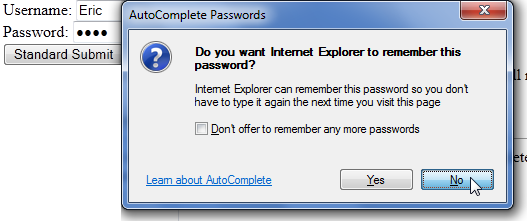
(Image Courtesy: MSDN Blog)

3 Opinions

 Share
Share


