Common problems of laptop keyboard

732 Views Updated: 13 Dec 2016
Follow Post
Common problems of laptop keyboard

The laptop keyboard is a highly delicate part as compared to the desktop keyboards.

Due to such weary features, they are more prone to get dysfunctional or damaged.

Some of the common problems to occur in laptop keyboard are

•    Keys not working properly

It may happen that your laptop keyboard or some specific keys would not work properly and suddenly becomes dysfunctional. It is one of the most common issues faced by the     majority of laptop users. The user feels extremely pissed off and irritated when the keys do not respond or work properly. In such situation, he needs to press the key several times or hold it for a longer time, to display the letter on the monitor.

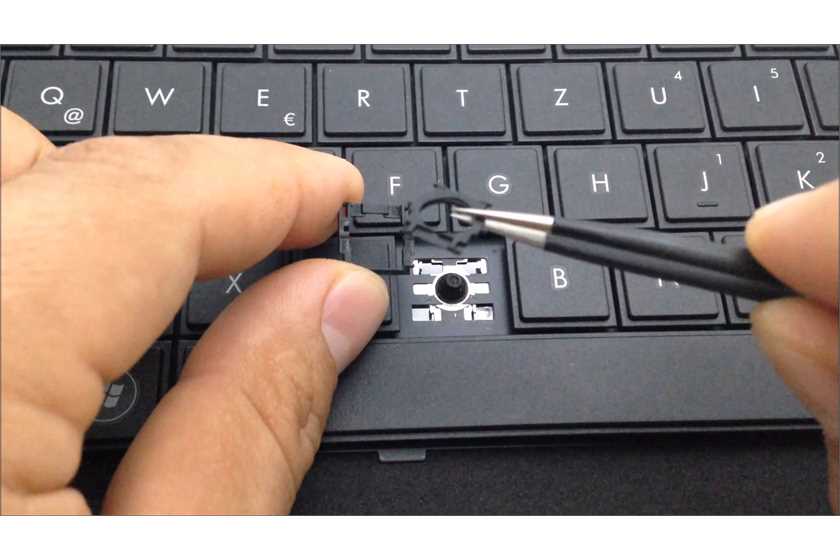
The common problem of the laptop keyboard to become dysfunctional usually arises, when dust particles get accumulated on the inner surface of the keys. Due to lack of lubrication or not properly cleaning     the inner parts of the keys, makes them not respond properly. To get rid of such issues, the user needs to clean and lubricate the keys in regular interval of time. To clean the laptop keyboard with more     professionalism, the user can remove all the keys with the use of a screwdriver. Place those keys in a separate container and clean the keyboard interiors properly with a cotton swab or ear buds. After cleaning the keyboard, he should reassemble the keys correctly.

•  Keyboard typing wrong characters

If the laptop keyboard has issues of typing wrong characters, it is probably caused out of software malfunctioning. This specific issue can be effectively resolved by choosing the 'Switch between Input Languages' from the control panel and clicking on the 'Change Key Sequence' option.

vote-icon.png
Posted by: riasaha49 Posts: (177) Opinions: (38) Points: 14,155 Rank: 3
4

Related polls